Stream Setup
Key Terms
Stream — a traffic channel that can be managed as a whole, similar to a campaign in an ad network.
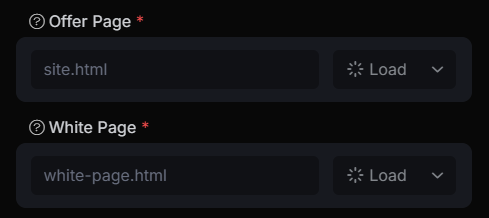
Offer page — your actual website, landing page, or CPA offer that you plan to advertise and which generates revenue for you.
White page — a safe page intended for bots, moderators, competitors, and other non-target visitors who should not see your actual site. This page must not contain any prohibited content in the ad network.
Creating a new stream
To create a new stream, go to the “Streams” page and click the “Create” button
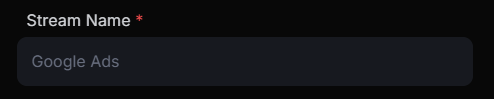
1. Enter the stream name:
2. Enter your Offer/White pages, which can be either an absolute file path or a link, depending on the integration method. Then choose the content display method:
3. Select a filter, or if you don’t have one, choose “Create filter”:

4. Choose the mode or leave it as the default “Cloaking”:

After these steps, your stream will be created!
Content Display
There are several content display methods:
- Lazy loading
- Redirect
- Iframe
- Proxy
1. Lazy loading - used to display local files hosted on the same domain as the PHP integration file. Usually, the path to an HTML page or PHP script is specified. This method is the safest, and we strongly recommend using it wherever technically possible.
2. Redirect - Redirecting to another domain, used only for the offer page (Offer page).
3. Iframe - displaying a webpage using the HTML “iframe” tag without changing the URL in the browser’s address bar.
4. Proxy - displaying an external site on your domain using smart HTTP proxying. Essentially, proxying creates a dynamic copy of the site in real-time, preserving its internal navigation. Most sites can be proxied without errors, but in some cases, the result may be broken or distorted. This method is ideal for displaying third-party sites on your domain as a white page.
Stream Modes
 - The primary real-time traffic filtering mode. All Cloaking Master technologies, including the ProteX machine learning, operate in this mode.
 - A special mode that should be enabled when your ad campaign is under moderation. It ensures that Cloaking Master does not interfere with the campaign approval process. A white page will be shown to each visitor. Once the campaign is approved, switch the stream to “Cloaking” mode before the network starts delivering traffic. Do not visit the stream link when this mode is on, or you will be automatically blocked.
 - Everyone sees the offer page. Filtering is off in this mode, and statistics are enabled.
 - Everyone sees the white page. Filtering is off in this mode, and statistics are enabled.
 - Everyone sees the white page. Filtering and statistics are off.